
rtstAnalog - video recorders supporting work with analog TVL cameras;

Hybrid - video recorders supporting work with all types of cameras (AHD, IP, Analog, TVI, CVI);

IP - video recorders supporting work with IP cameras;

AHD - video recorders supporting work with AHD cameras.
Here you can select the video quality of your equipment.1) ISON PRO S: AHD, 2mp, 2.8mm, SONY

2) ISON STM: AHD, 2mp, 2.8-12mm, SONY

3) ISON GREKO: AHD, 4mp, 2.8mm, SONY

4) ISON GREKO PRO: AHD, 5mp, 2.8mm, SONY

5) ISON GROT: AHD, 5mp, SONY, with electronic zoom

6) ISON GROT S: AHD, 5mp, SONY, with mechanical zoom

7) ISON GROT X: AHD, 8mp, SONY, with electronic zoom

8) ISON TOR: AHD, 5mp, 3.6mm, OMNIVISION

9) ISON ALFA: IP, POE, 5mp, 2.8mm, SONY

10) ISON ALFA S: IP, POE, 4mp, 2.8mm, SONY

11) ISON KOVO: IP, POE, 4mp, with electronic zoom.

12) ISON KOVO PRO: IP, POE, 5mp, with electronic zoom.

13) ISON SFERA: IP, POE, 3mp, 2.8mm, SONY

14) ISON SFERA PRO: IP, POE, 2MP, 2.8mm, SONY

15) ISON AIR: IP, Wi-Fi, 2MP, 2.8mm SONY
Here you can select the archive period. The calculation is based on motion sensor recording conditions.

The archive period is determined by the camera consumption and the availability of H.264 or H.265 compression formats.

You can increase the archive period by selecting a larger hard disk.
Recording speed is the frequency of frames per second at which the CCTV cameras will be recorded.

Recommendations: For most objects this parameter does not matter much exceptions are objects with fast-moving cars, such as parking lots, where we recommend installing cameras with a recording rate of 25 fps.
Here you can specify the site where you plan to install CCTV and see our recommendations.Here you can select the night shooting range.H.264 is a standard video compression format typical for most cameras.

H.265 is a compression standard that will take up 2 times less space on the hard disk.
Vandal resistant: Cameras made of special metal and with double glass.

Dome: Cameras in the form of a round dome. Most often used in indoor video surveillance.

Miniature: Small cameras, the size of half a palm.

Swivel: Cameras with 360° rotation function.

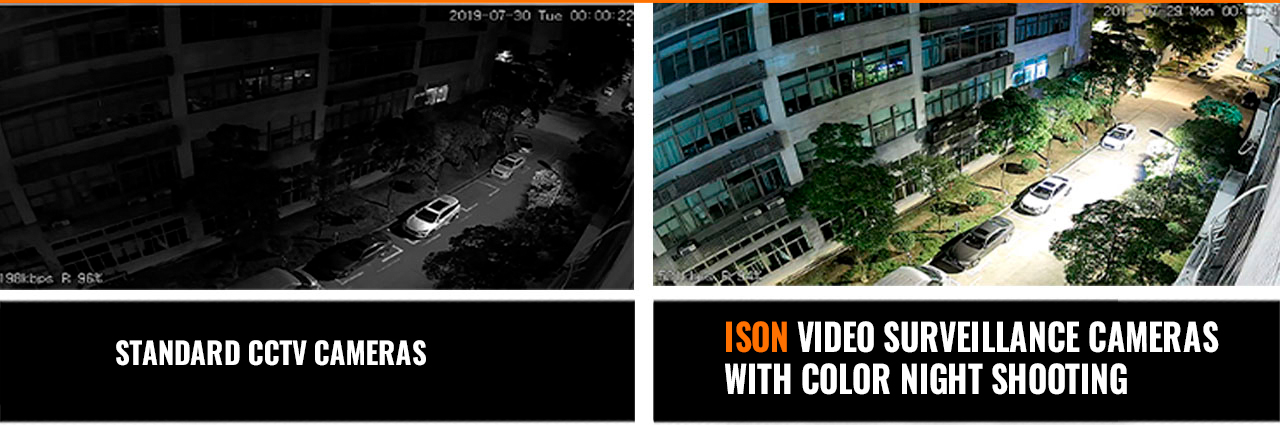
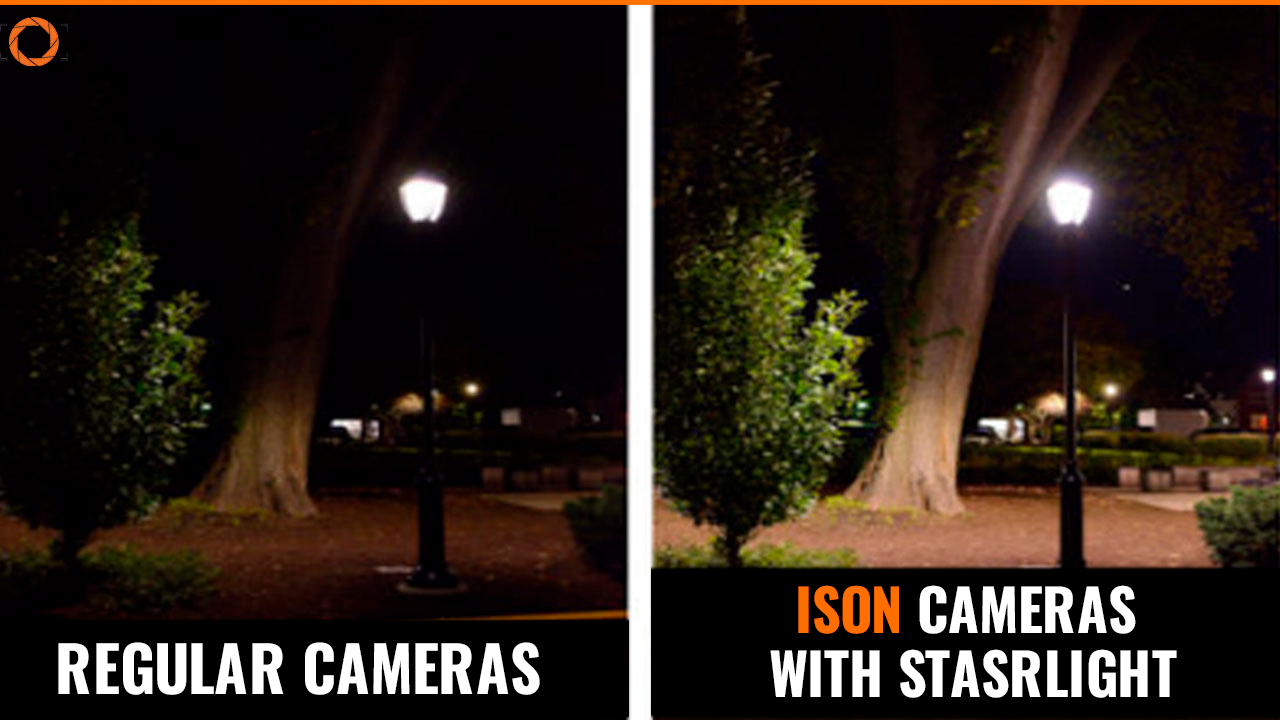
IR illuminated: Cameras that can see at night without lighting.

Cylindrical: Cameras with a cylinder-shaped housing.
In the camera with SD card recording you can install an SD card up to 128gb and record on it without the recorder.With 4-mechanical zoom (varifocal lens, 2.8-12mm, 4x zoom) - The zoom is controlled with a hexagonal dial on the camera itself.

With electronic zoom (motorized lens, 2.7-13.5mm, 5x zoom) - The zoom is controlled remotely through the recorder or smartphone.

Rotary with zoom (PTZ) - The cameras have a horizontal and vertical rotation function as well as a powerful 18 or 22x zoom.

2.8mm - wide-angle fixed lens.

3.6mm - standard lens.

With electric control - the ability to control the lens through a recorder or smartphone.

The most popular cameras with lenses 2,8mm, 2,8-12mm and motorized.
Here you can choose how many hard disks the recorder will support.Shooting range in meters - how far your cameras can read a license plate number and recognize a person's face.Here you can specify compatibility with IP or AHD cameras presented in our online store.The higher the resolution, the better the quality of the footage.

Tip: Best value for money: 2K
The matrix is 95% of the quality of the camera. The choice of sensor also determines the life of CCTV cameras and their reliability

Tip: The best sensors are SONY sensors.
Here you can select the operating temperature of the cameras.The WDR and DWDR functions are technologies that allow you to improve the quality of your shots when light enters the camera lens and in poor or inappropriate lighting conditions. This technology removes the "Black Face" effect, when all faces become black due to light entering the frame.

We recommend purchasing cameras with WDR or DWDR technology.
Cameras with a built-in microphone have a recording function.

"Can be connected" means you can connect the microphone separately.

Tip: The best sound recording is achieved by connecting separate, remote ISON MIC801AP microphones.
POE - power transmission over a single cable in IP video surveillance systems.

AHD systems use only 12V power supply via combined cable. POE technology is used only in IP systems in AHD systems ISON cable by default will be combined, i.e. will transmit both video and power.
The wider the viewing angle, the larger the coverage area for the camera.Here you can select whether the cameras have motion sensors.

Motion sensors allow you to save space on your hard disk, view only those events when there was motion and receive notifications when the sensor is triggered on your smartphone.
The phone view function allows you to remotely view camera video from anywhere in the world, download the archive and receive motion sensor notifications.
3g/4G support means the system can work with modems if you do not have wired internet.
The hard disk is the device that is needed to record the archive. Without a hard disk, the system will only have an online viewing function.

In configurations with built-in hard disk you will have a recorder with already installed and formatted hard disk that will provide an archive of up to 40 days.
The more cameras, the larger the coverage area of your property.

Tip: For house and cottage surveillance, usually choose 4 to 8 cameras.

For car surveillance 1 to 2 cameras.

For surveillance of the entrance and apartment from 1 to 4 cameras.

For surveillance of office or production, warehouse from 2 to 32 cameras.
Here you can choose a video surveillance system for outdoor or indoor use.
IP systems are more expensive than AHD systems but show slightly better detail.

AHD systems also have high quality recording, phone viewing functions, motion sensors, etc. They are easier to connect and more budget-friendly.

Tip: If you are looking for the best of the best then go for IP. If you need good video surveillance with easy connection and setup then go for AHD.
WI-FI and wireless - there is no wire between the camera and the recorder, data is transmitted via WI-FI signal, and there are limitations on the range of signal transmission.The higher the resolution, the better the picture quality.

Tip: The best price/quality combinations are 5 and 8 megapixel systems.

The more cameras, the larger the coverage area of your property.

Tip: For house and cottage surveillance, usually choose 4 to 8 cameras.

For car surveillance 1 to 2 cameras.

For surveillance of the entrance and apartment from 1 to 4 cameras.

For surveillance of office or production, warehouse from 2 to 32 cameras.
tests sr
video surveillance wiring diagram

Wiring diagram of the video surveillance system

Wiring diagram of the video surveillance system

Here we will look in detail at the wiring diagram of IP and AHD video surveillance systems. This diagram will help you to connect your video surveillance system correctly!

At the center of everything we have a video recorder. This is where the recording takes place. It is essentially the same computer, with the same motherboard and the same information processing principles. A hard disk is installed inside the DVR. It comes with video surveillance systems, as a rule, does not go. It is purchased separately depending on the volume you need. In 99% of the DVR is installed hard disk 3.5 inches. Note also, external hard disks are not suitable, you need hard disks with sata connectors. As a rule, external hard disks have micro usb connectors. So, at the DVR at the back we see connectors bnc. This is where the camera is connected. IT connectors transmits only video signal, we have power is transmitted separately, through a socket, but we will return to it a little later. Here we also have a connector that goes to the monitor through a vga connector. And this cable, it always comes directly with the monitor. You can also connect through the hdmi connector. Then you will need a separate hdmi cable and separately, in fact, the TV that supports the hdmi format. This is, by the way, the best way to output a signal from your video surveillance system is hdmi. It is an order of magnitude better than running. This is even visible to the unarmed eye.

Next we have the Ethernet connector rj45. It is needed to connect the DVR to the network. That is, if, say, you are a programmer, and you want to connect everything there at your enterprise, let’s say your DVR, you connect it to the network to the server or to a router. If you want to set up on your video surveillance system remote viewing from a phone, from a tablet, from a computer, then the same thing: you connect usually patchcord (it is sold in computer stores, it also comes with the router itself) plug into the Ethernet-connector. And here, on the diagram we have it written that you can also connect a computer monitor with the cable. But here, to be more precise, a laptop is specified and the system unit is connected and already through the computer, through the program cms you can view and manage videos. That is, if you are on the same network, if remotely, it will be impossible to manage the video (that is, to view some archive). And if you are in the same network, then through cms you can control the motion sensor, view the archive and so on. It is also presented here that through the router we also have a feed through the internet, and just here is configured remote viewing from your CCTV cameras on your phone or computer.

Here we have a power connector, which powers the DVR itself. Also (not described here) there are 2 USB ports. One, as a rule, is for connecting a mouse, 2 – for connecting a flash drive to reset information and a toggle switch.

video surveillance wiring diagram

It also has an rs-485 connector, which is a connector for connecting rotating CCTV cameras.

So, let’s go to the camera. From the camera we see that through the bns connector, pay attention, if you buy the cable separately, the connectors will need to solder independently – it is necessary ideally. This is to do, of course, with experience, so that the quality of signal transmission was good. But it is easier to take actually ready-made coils. They are available for 10, 15, 18, 40 meters. This is how the transmission goes from the “mom" connectors to the camera itself. Here also goes the power through the “mom-and-pop" connector and turns on the “mapping". That is, if several cameras are connected, then the power splitter is used, the so-called “snake Gorynych" in one end of the “snake Gorynych" is inserted power supply, from the other end goes to power several cameras at once, that is, from 2 to 8. If more than 8 channels you have a video surveillance system say 16, then used two “snake Gorynych" and, accordingly, two power supplies.

video surveillance wiring diagram 2

On our website, you can find prepared CCTV system for your task.

Choose a CCTV kit
x
Enter your e-mail
to receive a wishlist
×

Choose Your Language

en_USEnglish
Contact US

Is there a question? Contact us, we'll be happy to help.

Is there a question? Contact us, we'll be happy to help.