





¿Cómo elegir el sistema de videovigilancia adecuado?
¿Cómo elegir el sistema de videovigilancia adecuado?
Greetings dear customers, dear subscribers with you ISON company in this article I will help you to choose the right video surveillance system.
Suppose you are not an expert in this matter and yesterday for the first time heard the word video surveillance and thanks to this article you will be able to pick up a system of CCTV cameras exactly the one that will suit you, and not so that you bought video surveillance and it turns out that it is not what you will suit you at all
Go to the off-the-shelf surveillance system selection calculator (click here). This calculator will allow you to choose from over 1,700 options for ISON’s #1 brand of off-the-shelf surveillance camera systems.
1) Select the number of cameras. Here everything is simple: just check the option with the number of cameras and click next.
Typical question: “If I need part outdoor cameras, part indoor cameras which item should I choose?"
Answer: Choose “See all options", in the future you will be able to choose to replace the number of cameras you need on the internal cameras in the configurator under the buy button. We also recommend that you watch a video tip on this topic:
2) Specify whether you want indoor or outdoor cameras. If you need part indoor and part outdoor cameras, choose the combined option.
3) Next, you need to choose the purpose of your video surveillance system. Video surveillance for home and cottage, for warehouse, for business, etc. Select an option and click next
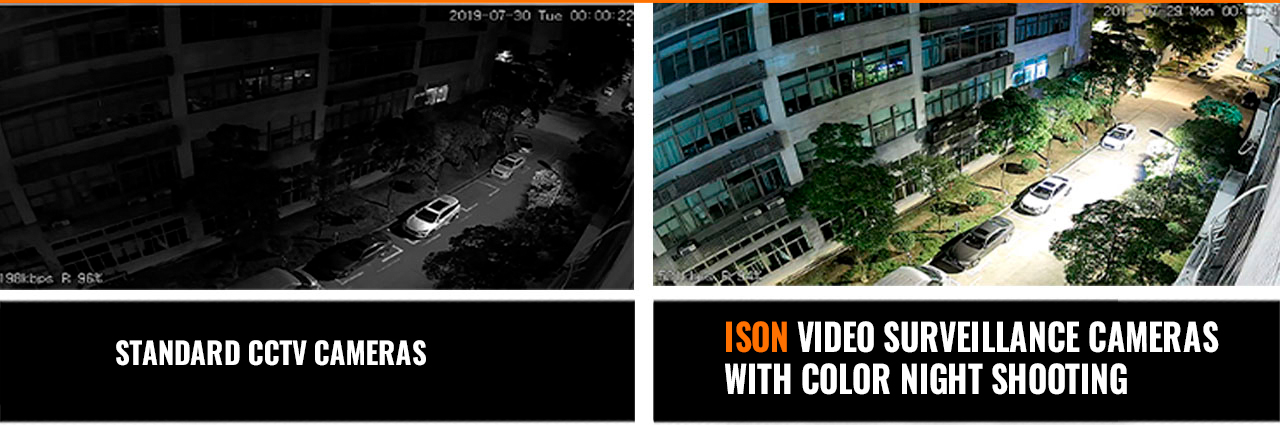
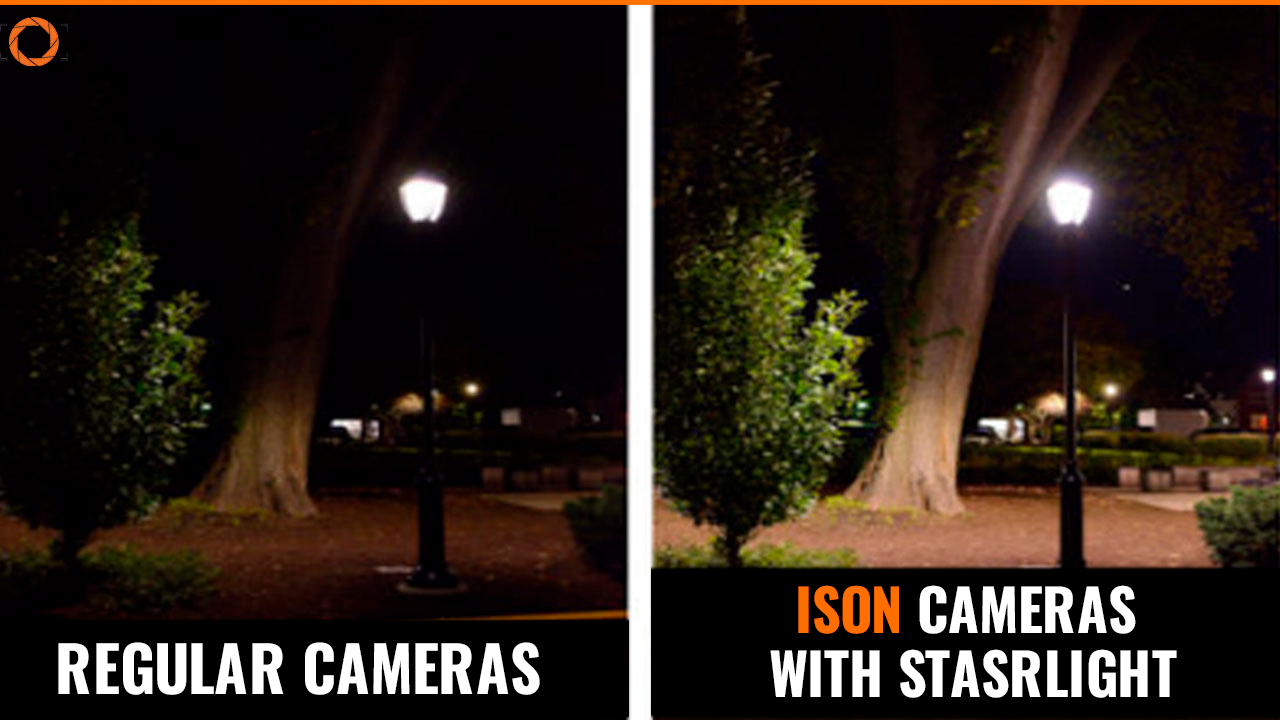
4) In this item, select whether you need night illumination. Night illumination will ensure that you can take pictures in dark conditions. I’ll tell you when you don’t need night illumination: you don’t need it if you put CCTV cameras in a room and you have good lighting in it 24/4. In other cases, night illumination is necessary, because you probably want to see your intruders when they come to you at night in the dark.
Typical Question #1: “What is night shooting?"
Answer: This is a technology that enables shooting in dark conditions.
Typical Question #2: “What is the difference between cameras with R5 infrared diodes and infrared illuminated ISON cameras?"
Answer: R5 IR diodes are outdated infrared diodes, which have problems of low lifetime, as well as weak intensity, as a consequence, cameras with such IR illumination have poor clarity at night, as well as low lifetime (over time, the illumination becomes noticeably dimmer). ISON cameras are produced with a new generation LED backlight, which shines 300% more powerful than conventional, as well as has a service life of more than 10 years.
Pregunta típica #3: “Is nighttime IR illumination visible to the human eye?"
Answer: No.
Pregunta típica #4: “What will be the range of my night light? And what should I do if I want a more powerful night light?
Answer: The range of night illumination in ISON CCTV cameras is different and ranges from 20 to 60 meters (in the description of your chosen system you can find this parameter). If you need more powerful night illumination you can additionally install IR spotlights.
5) In this item, you need to choose the configuration: With or without a hard disk. Without a hard disk, your video surveillance system will have no recording, only online viewing. The hard drive must be specialized, ordinary computer hard drives are not suitable, external drives with USB connectors are also not suitable.
Typical Question #1: “What is a hard disk drive for?"
Answer: The hard disk is needed to record the archive. Without a hard disk there will be no archive, only ONLINE viewing.
Pregunta típica #2: “Can I install my hard disk?"
Answer: If your hard drive has a 3.5″ form factor, a SATA connector, and it is adapted to work with video surveillance systems or RAID servers, then yes you can.
Typical Question #3: “If I select “With Hard Disk" how many days of recording will I have?"
Answer: Un disco duro estándar sugiere un periodo de archivo de hasta 30 días.
Pregunta típica #4: “If I need an archive period longer than 30 days what should I do in this case?"
Answer: To increase hard disk capacity in the configurator under the buy button, select hard disk replacement.
Typical Question #5: “Can I record to the cloud instead of to my hard disk?"
Answer: Yes, all ISON video surveillance systems have this function, but for its functionality you need a powerful Internet channel (from 200 mbit), also this function is paid (from 300r per month for 1 camera for a weekly archive). At the same time, there’s a simple way not to pay a monthly subscription fee – all ISON DVRs have the technology to duplicate the record from one DVR to another, i.e. you can buy a second DVR that comes with your system, put it at home/at home/at work, i.e. anywhere in the world, connect it to the Internet and set up automatic duplication of the record from one DVR to another. To set up this function, you will also need a powerful Internet channel and static IP addresses where the DVRs will be located.
6) Here you need to choose whether your CCTV cameras will have motion sensors or not.
A typical question is “What are motion sensors and what are they for?"
Answer: Motion sensors are a built-in technology inside your video surveillance system that allows you to detect motion in the camera lens. Motion sensor is needed to save space on your hard disk, (because the record will be recorded only when there is movement), for ease of searching for the necessary information (because you can immediately see that, for example, at 02.19 on the 3rd camera was movement and you do not need to review the entire archive to detect this event). Also the motion sensor is needed so that you can receive notifications on your smartphone in case of sensor operation (all ISON video surveillance systems support this functionality and it is completely free of charge).
7) In this item, specify whether you want the remote viewing function from a smartphone. If there is no wired internet at your site, select the item with 3G/4G.
Typical Question #1: “What does it mean to View from a smartphone? Will this be a paid feature?"Answer: This means that you will have a video surveillance system ISON, which will be able to view video from cameras on your smartphone from anywhere in the world. For all ISON video surveillance systems remote viewing function is absolutely free, ie does not involve any subscription fees or one-time fees. The remote viewing application can be downloaded from APPSTORE or Google Market free of charge.
Pregunta típica #2: “Will I be able to customize this functionality myself?"
Answer: Yes, because all ISON video surveillance systems are fully adapted for independent installation by the average user. Menu control is Russified and assumes automatic configuration of this functionality. Also for all systems in the product card by clicking on the button “Instructions" you can download a detailed step-by-step instruction in Russian. Also in the description of all video surveillance systems ISON you can see detailed video instructions for self-installation.
Pregunta típica #3: “What does it mean to support 3G/4G internet?"
Answer: This means that your ISON video surveillance system will support 3G/4G modems. This feature is necessary when your site does not have wired internet. You will need a router to connect your surveillance system to your 3G/4G modem.
8) In this item, select whether you want the function to send notification to your smartphone.
9) Now select whether WDR technology is needed.

Typical question: “What is WDR?"
Answer: This is a technology that improves the quality of photography in low or low-light conditions, as well as in situations where the camera lens is exposed to light from the sun or flashlights.
10) Similarly, select whether a DNR system is required.

What is DNR in CCTV.Typical question: “What is DNR?"
Answer: This is a technology that reduces noise (interference) in night shooting conditions.
11) In this item, you need to select whether you want ISON ON technology. ISON ON is a technology that solves the problem of factory reset when the power goes out. Without ISON ON technology, the system settings (Clock, Motion Sensor, Smartphone View) will be reset when the power goes out.
12) Next you need to choose the shooting resolution. 2,3,4 megapixels is considered budget quality shooting. 5 megapixels is considered good medium quality. 8 megapixels is the best shooting quality to date. I recommend selecting “See all options" here so you can compare different options with each other by recording examples.
Typical Question #1: “What does the number of megapixels affect?"
Answer: The more megapixels the better the quality of the shot will be.
Pregunta típica #2: “Is there a big difference between 2 and 4 megapixels?"
Answer: 1 megapixel is 1,000,000 pixels, i.e. ISON’s 4 megapixel cameras have 2 million more pixels and have a picture 2 times sharper than 2 megapixel cameras.
Pregunta típica #3: “I can’t decide how many megapixels I should choose"
Answer: We recommend in this case to select “See all options" and you will be able to compare different video surveillance systems with different resolutions. In the description of all ISON video surveillance systems there is an example of recording as well as a detailed video review.
13) Choose IP or AHD. Similarly, I recommend that you select “See all options" here if you are faced with this choice for the first time. The IP option is higher quality in terms of detail, but this option is more expensive by 20-30 percent. We recommend you to watch our video IP or AHD video surveillance 9 differences, in it we talk in detail about the differences between these 2 formats.
Pregunta típica #1: “What is the difference between IP and AHD and is it true that only IP video surveillance can be viewed from a phone?".
Answer: Both IP and AHD video surveillance have the phone viewing feature. IP is connected by twisted pair, AHD by coaxial cable video + power.
Pregunta típica #2: What do you recommend choosing IP or AHD video surveillance?
Answer: We recommend that you consider both IP and AHD video surveillance, i.e. select “See all options" as there are no significant differences between ISON IP and AHD video surveillance.
Pregunta típica #3: “What does IP with POE mean?"
Answer: POE is power transmission over a single cable, that is, only one cable is needed to connect an IP video surveillance system with POE.
14) Next you need to choose whether you want the zoom or not.
A typical question is, “What does it mean With mechanical zoom, With electronic zoom, Rotary with zoom (PTZ) and what are their differences?"
Answer: CCTV cameras with mechanical zoom have a 4x zoom, which is controlled by a hexagon on the camera itself. Cameras with electronic zoom have a 5-fold zoom, which is controlled remotely from a computer phone or recorder. Also, this zoom can be controlled from anywhere in the world. Cameras rotating with zoom (PTZ) have a 22-fold zoom and rotate 355 ° degrees horizontally and vertically. These cameras can also be controlled from a computer, recorder or smartphone via the Internet.
15) And the final, most important question is about the sensor. 90% of the camera’s shooting quality and durability depends on the sensor. I recommend to choose the following options: Sony, Smartsense, K5, all other options have a blurred picture and lack of clarity even at high resolution
Typical Question #1: “What is a matrix and what is affected by its choice?"
Answer: The matrix is what is inside the CCTV camera and 90% of the quality of your CCTV footage depends on it. Also from the choice of matrix depends on the longevity of smooth operation of your cameras.
Typical Question #2: “What do you recommend?"
Answer: We recommend to choose ISON cameras with Sony (Japan) sensors, because at a small budget cameras with these sensors have the best quality of shooting both in terms of day and night shooting. Also, ISON cameras with original SONY sensors have the maximum service life of possible.
Typical Question #3: “Is there a big difference between ISON cameras on Sony (Japan) and Omnivision (USA) sensors?"
Answer: Significant, about 1.5 times. Especially it can be seen if you compare night shooting. Omnivision is a more budget option.
Pregunta típica #4: “What is the difference between Sony (Japan) and Sony (China) matrices?"
Answer: Place of manufacture and quality. Sony (Japan) are made in the original SONY factory. SONY (China) are copy matrices made in China. Currently, the company ISON produces only one line of video surveillance systems ISON STM and gradually this model is removed from production.
 Spanish
  English
  Italian
  Arabic
  Portuguese
  French
  Turkish
  German